Payment Troubleshooting
Collect Missed Payments
Collecting, tracking, and correcting missed payments is simple in Smile Advantage. This guide walks you through managing missed payments, updating payment methods, and addressing overdue amounts.
Track and collect missed payments
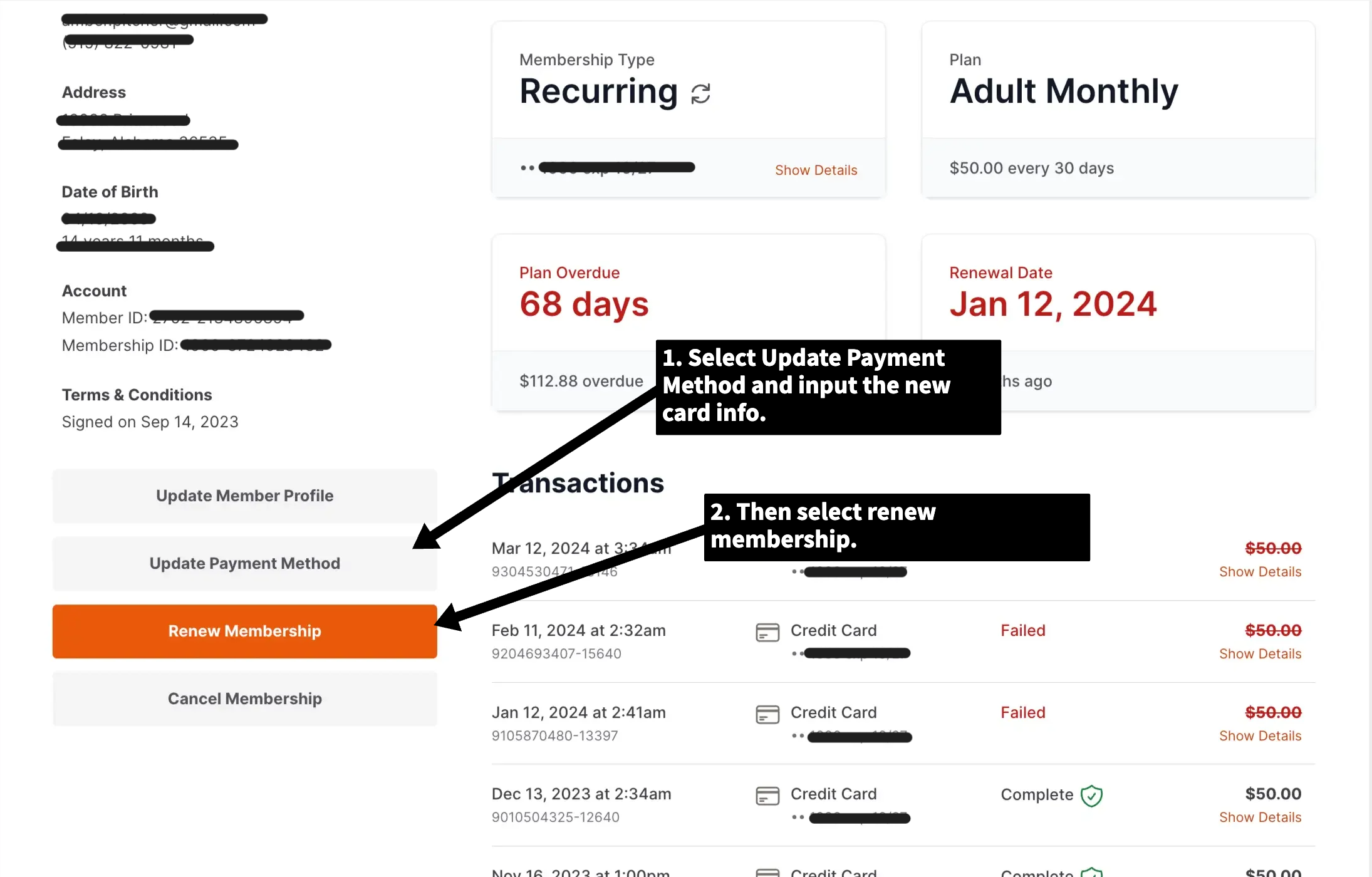
Section titled “Track and collect missed payments”- Access the member profile. Log into your Smile Advantage administrator account and navigate to the member whose payments need attention.
- Update the payment method. On the left-hand side of the member’s profile page, locate the Update Payment Method option. This streamlines the process of modifying the card on file.
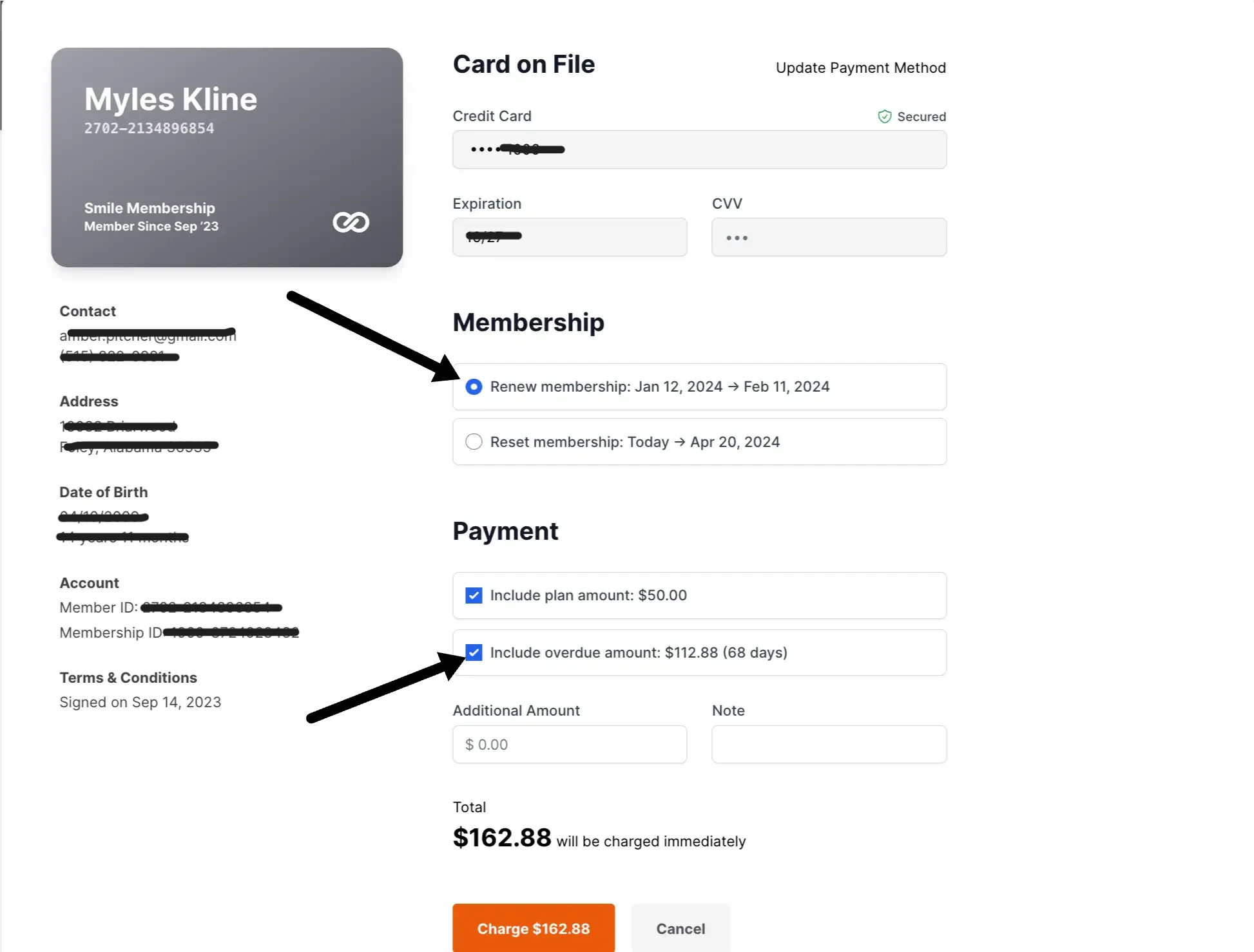
- Renew the membership. Once the payment method is updated, click the orange Renew Membership button to start the renewal process.
- Include the overdue amount. During the renewal process, you will see an option to Include Overdue Amount. Checking this box authorizes the system to charge for missed payments along with the current renewal, settling all outstanding dues in one step.
That is it. This lets you update payment information and reconcile missed payments in a single, seamless process.