Payment Troubleshooting
When Payment Fails
How do we handle it if a payment for a membership fails?
- Contact the patient and get updated billing information.
- From your dashboard, click on Search Members and search for their name.
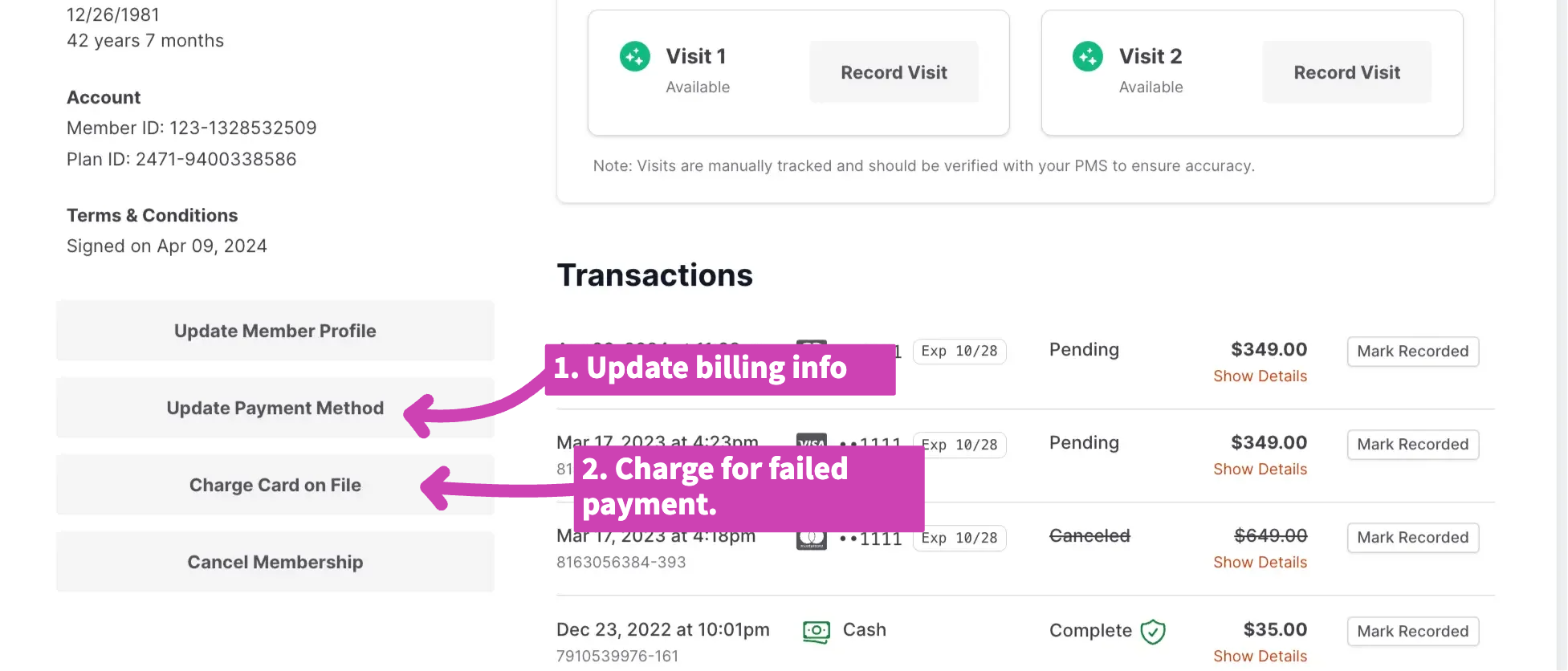
- Click on the grey Update Payment Method button in the bottom left corner and update their billing information.
- Right below this box on their profile, click Charge Card on File. Specify the amount you need to charge them for the missed payment.
- Click Charge Visa (or Amex, and so on) and the software will process that payment on the new card number you saved.